Beyond Basic: Installing a Smart Thermostat in Your Crawfordville Home
Why Smart Thermostat Installation in Crawfordville Matters for Your Home
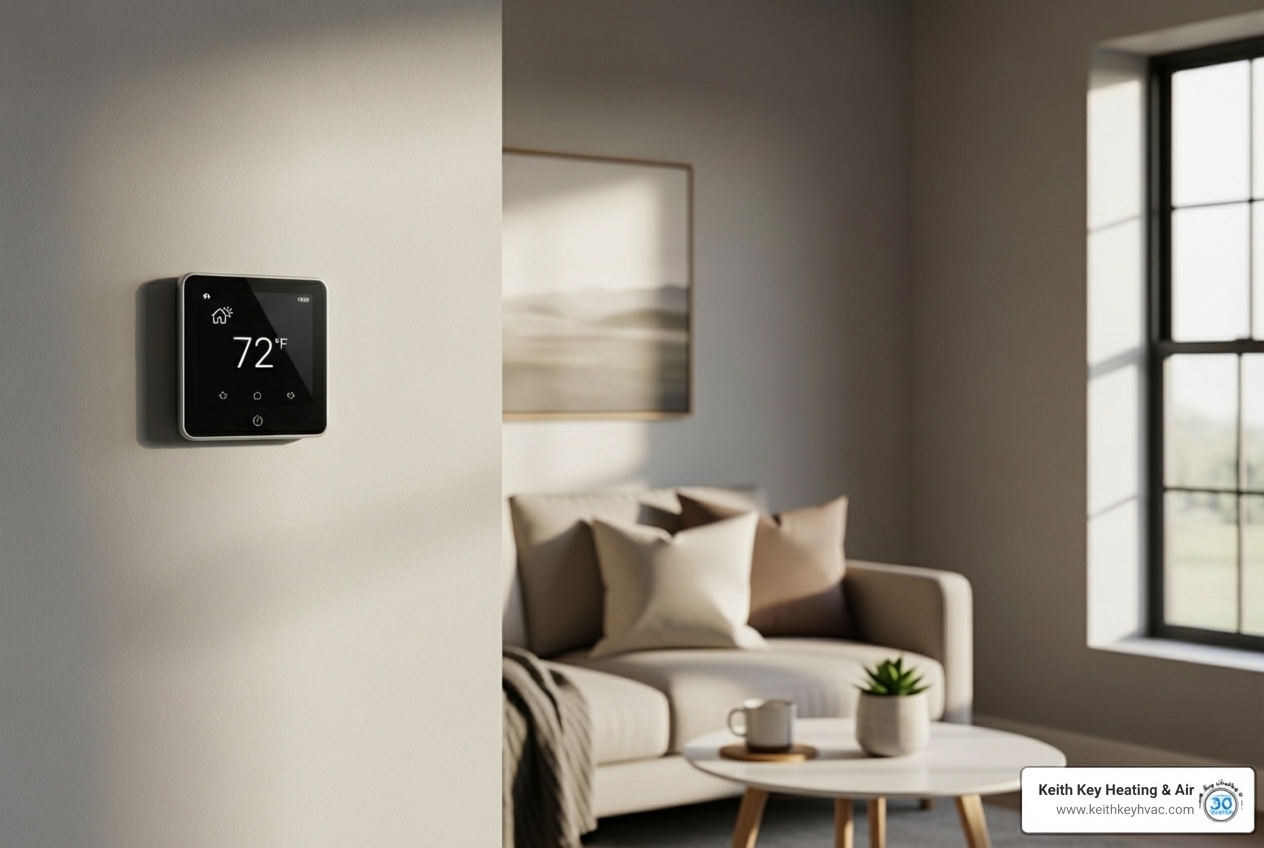
Smart thermostat installation Crawfordville homeowners choose transforms how you control comfort and energy costs in your home. If you're tired of high electric bills during Florida's long cooling season or want the convenience of adjusting your temperature from anywhere, upgrading to a smart thermostat offers a practical solution. These devices learn your schedule, automatically adjust temperatures when you're away, and provide detailed energy reports—all while integrating seamlessly with your existing HVAC system.
Quick Answer: What You Need to Know About Smart Thermostat Installation
- Professional installation ensures proper wiring, system compatibility, and optimal configuration
- DIY installation is possible for those comfortable with basic electrical work and following detailed instructions
- Most systems require a common wire (C-wire) for power; adapters available if yours doesn't have one
- Average installation time ranges from 30-60 minutes for DIY, faster with a professional
- Key benefits include 10-15% energy savings, remote control via smartphone, and automated temperature adjustments
For comprehensive HVAC services beyond thermostat upgrades, explore our complete HVAC solutions, or schedule your professional smart thermostat installation today.
The difference between a basic programmable thermostat and a truly smart system goes far beyond scheduling. Smart thermostats actively learn your preferences, detect when you leave home using geofencing, and adjust automatically to optimize both comfort and efficiency. For Crawfordville's climate—where air conditioning runs nearly year-round—this intelligence translates directly into lower utility bills and better indoor comfort without constant manual adjustments.
Learn more about smart thermostat installation crawfordville:
- green energy hvac units crawfordville fl
- energy saving hvac tips woodville fl
- duct insulation energy efficiency wakulla county
Why Upgrade to a Smart Thermostat?
Living in Crawfordville, FL, we understand that managing home comfort and energy costs, especially during our long, hot summers, is a top priority. A smart thermostat isn't just a fancy gadget; it's a powerful tool that offers significant benefits for your home and your wallet.
One of the biggest draws is energy efficiency. Smart thermostats are designed to save you money on your energy bills by automatically adjusting the temperature in your home based on your preferences and schedule. In fact, smart thermostats can save up to 15% on heating and cooling costs annually. This is achieved by learning your habits, like when you're away or asleep, and automatically adjusting the temperature to reduce energy usage. These detailed energy usage reports help you understand your consumption patterns and find ways to save even more. For more in-depth information on how these devices can transform your energy consumption, check out our article on energy efficiency with smart thermostats.
Beyond savings, smart thermostats offer improved home comfort. They maintain consistent temperatures, eliminating those annoying hot and cold spots. Imagine returning home after a long day to a perfectly cooled house, without having to blast the AC for an hour. This is made possible through features like remote access and geofencing. With remote access, you can adjust your home's temperature from your smartphone or web app, making it simple to conserve energy while away from home or ensure comfort before you arrive. Geofencing takes this a step further, using your phone's location to detect when you're leaving or approaching home, automatically adjusting the thermostat accordingly. It's like your home knows you're coming!
Here's a quick comparison to illustrate just how far thermostat technology has come:
| Feature | Programmable Thermostat | Smart Thermostat |
|---|---|---|
| Learning Ability | Manual scheduling only | Learns preferences and adjusts automatically |
| Remote Control | Generally none | Via smartphone app or web from anywhere |
| Wi-Fi Connectivity | No | Yes |
| Energy Reporting | Basic or none | Detailed usage reports, insights, and recommendations |
| Geofencing | No | Yes, adjusts based on your proximity to home |
| Sensor Integration | Limited | Connects with external sensors for multi-zone control |
| Smart Home Integration | No | Integrates with voice assistants and other smart devices |
The Difference Between Smart and Programmable Thermostats
While both types of thermostats allow you to set schedules, the "smart" in smart thermostat signifies a leap in capability. Programmable thermostats rely on manual scheduling, meaning you tell it exactly when to turn on and off at specific temperatures. This can be effective, but life often throws curveballs, and those pre-set schedules can quickly become inefficient if your routine changes.
Smart thermostats, on the other hand, boast learning capabilities. They observe your habits over time—when you adjust the temperature up or down, when you leave for work, when you come home. Using this data, they build an optimized schedule that adapts to your lifestyle, often without you lifting a finger. This intuitive approach ensures comfort when you need it and energy savings when you don't.
The key to their advanced functionality is Wi-Fi connectivity. This allows for app control from anywhere in the world. Stuck in traffic? Turn down the AC. Heading home early? Crank it up a bit. This level of control provides unparalleled convenience and peace of mind. For more on how these intelligent devices improve your home, explore the advantages of smart thermostat installation.
Signs It's Time for an Upgrade
How do you know if your current thermostat is holding your home back? There are several clear indicators it might be time to upgrade to a smart thermostat:
- Inaccurate Temperature Readings: If your thermostat consistently reads a different temperature than what it actually feels like in your home, it's not doing its job. This can lead to your HVAC system working harder than necessary or running too little.
- Frequent Cycling: Is your AC or furnace turning on and off constantly, even when the temperature seems stable? This "short cycling" can be a sign of a failing thermostat or an inefficient system, leading to wear and tear and wasted energy. You can learn more about how to prevent AC short-cycling in Crawfordville on our blog.
- High Energy Bills: If your utility bills are steadily climbing without a clear explanation, your old thermostat might be partly to blame. It could be running your system inefficiently, or simply not offering the energy-saving features that modern smart thermostats do. For insights into why your Crawfordville AC is raising energy bills, we have a dedicated resource.
- Lack of Modern Features: If your thermostat only has basic up/down buttons and no scheduling, remote access, or energy reporting, you're missing out on significant comfort and savings.
Don't let an outdated thermostat compromise your comfort or drain your wallet. For more on identifying and fixing common thermostat issues, check out our guide on thermostat issues in Alligator Point fixes.
The Smart Thermostat Installation Crawfordville Process: DIY vs. Professional
When considering smart thermostat installation Crawfordville, you'll face a choice: tackle it yourself or call in the pros. While many smart thermostats are marketed as DIY-friendly, the reality of working with your home's HVAC system can be more complex than it appears.
Behind that sleek new smart device lies a network of wires connecting to your HVAC system's brain. Understanding HVAC system compatibility, identifying the crucial C-wire, and ensuring electrical safety are paramount. A misstep can not only damage your new thermostat or your HVAC unit but also pose a safety risk. Proper configuration is also key to ensuring your new smart device communicates effectively with your heating and cooling system, maximizing its efficiency. For any significant HVAC work, it's always wise to understand the intricacies of HVAC installation in Crawfordville, FL.
DIY Installation Considerations
If you're a homeowner with a knack for projects and a willingness to follow instructions to the letter, a DIY smart thermostat installation might be within your reach. However, be realistic about the undertaking.
You'll need at least basic electrical knowledge to safely identify wires and understand voltage. Before you begin, gather the required tools, which typically include a screwdriver, wire strippers, and possibly a drill. Most importantly, you must be prepared to follow instructions carefully, referring to both the smart thermostat's manual and potentially your HVAC system's wiring diagrams.
A critical step is performing a compatibility check before purchasing any smart thermostat. Manufacturers often provide online tools where you can input your existing wiring setup to see if their product will work. The biggest hurdle for many DIYers is the C-wire (common wire). This wire provides continuous power to the smart thermostat. If your system doesn't have one, you might need a C-wire adapter or a power extender kit, which adds another layer of complexity to the installation.
While DIY can be rewarding, be aware of the potential risks. Incorrect wiring can blow a fuse on your HVAC control board, damage your new thermostat, or even lead to system malfunctions. When in doubt, it's always better to err on the side of caution.
Benefits of Professional Smart Thermostat Installation in Crawfordville
For many Crawfordville homeowners, professional installation offers invaluable peace of mind and ensures optimal performance. When you choose us for your smart thermostat installation Crawfordville, you're investing in expertise and reliability.
Our experienced technicians provide guaranteed compatibility, ensuring your chosen smart thermostat works seamlessly with your specific HVAC system. We handle all the wiring with safe electrical work, minimizing any risk of damage or electrical issues. This includes properly addressing the C-wire situation, whether it means finding an existing one, installing an adapter, or running new wiring if necessary.
Beyond just getting it hooked up, we focus on optimal system configuration. This means setting up your new smart thermostat to communicate most effectively with your heating and cooling system, maximizing its efficiency and comfort features. We'll also walk you through its functions, helping you understand how to get the most out of your new device.
The result? Maximized efficiency and energy savings from day one, along with the sheer peace of mind that comes from knowing the job was done right by certified professionals. You can sit back, relax, and let your new smart thermostat take care of your home's comfort. For all your HVAC needs, we provide comprehensive HVAC service in Crawfordville, FL.
A Step-by-Step Guide to Your New Thermostat Setup
This section provides a general overview of the installation process. For safety and to ensure proper function, professional installation is recommended. If you're unsure about any step or encounter unexpected wiring, please contact a professional HVAC technician.
1. Power Down Your HVAC System
This is the most crucial first step for any thermostat installation. Safety first!
- Breaker Panel: Locate your home's main electrical panel (often in a garage, basement, or utility closet). Find the circuit breaker(s) that control your HVAC system—this might be labeled "Furnace," "AC," or "HVAC."
- System Safety: Flip the appropriate breaker(s) to the "Off" position. This cuts power to your heating and cooling equipment, preventing electrical shock or damage.
- Verifying Power is Off: To be absolutely sure, try turning your old thermostat's HVAC system on. If the heating or cooling equipment doesn't respond, the power is successfully off. You can also use a non-contact voltage tester on the thermostat wires to confirm no power is present.
2. Remove the Old Thermostat
Now that the power is safely off, you can begin removing your old thermostat.
- Removing Faceplate: Gently pull the old thermostat's faceplate away from the wall-mounted backplate. This usually snaps off or is held by small clips.
- Taking a Photo of Wiring: This is a vital step! Before touching any wires, take a clear photo of your existing wiring connections. This picture will be your reference guide when connecting the new smart thermostat.
- Labeling Wires: Your smart thermostat should come with small labels. Carefully detach each wire from its terminal on the old thermostat, and immediately apply the corresponding label (e.g., "R," "Y," "G," "C"). Do not rely on wire color alone, as colors can vary.
- Disconnecting Wires: Once labeled, carefully disconnect all wires from their terminals.
- Removing Backplate: Unscrew and remove the old backplate from the wall.
3. Install the New Thermostat
With the old thermostat gone, it's time for the new one to take its place.
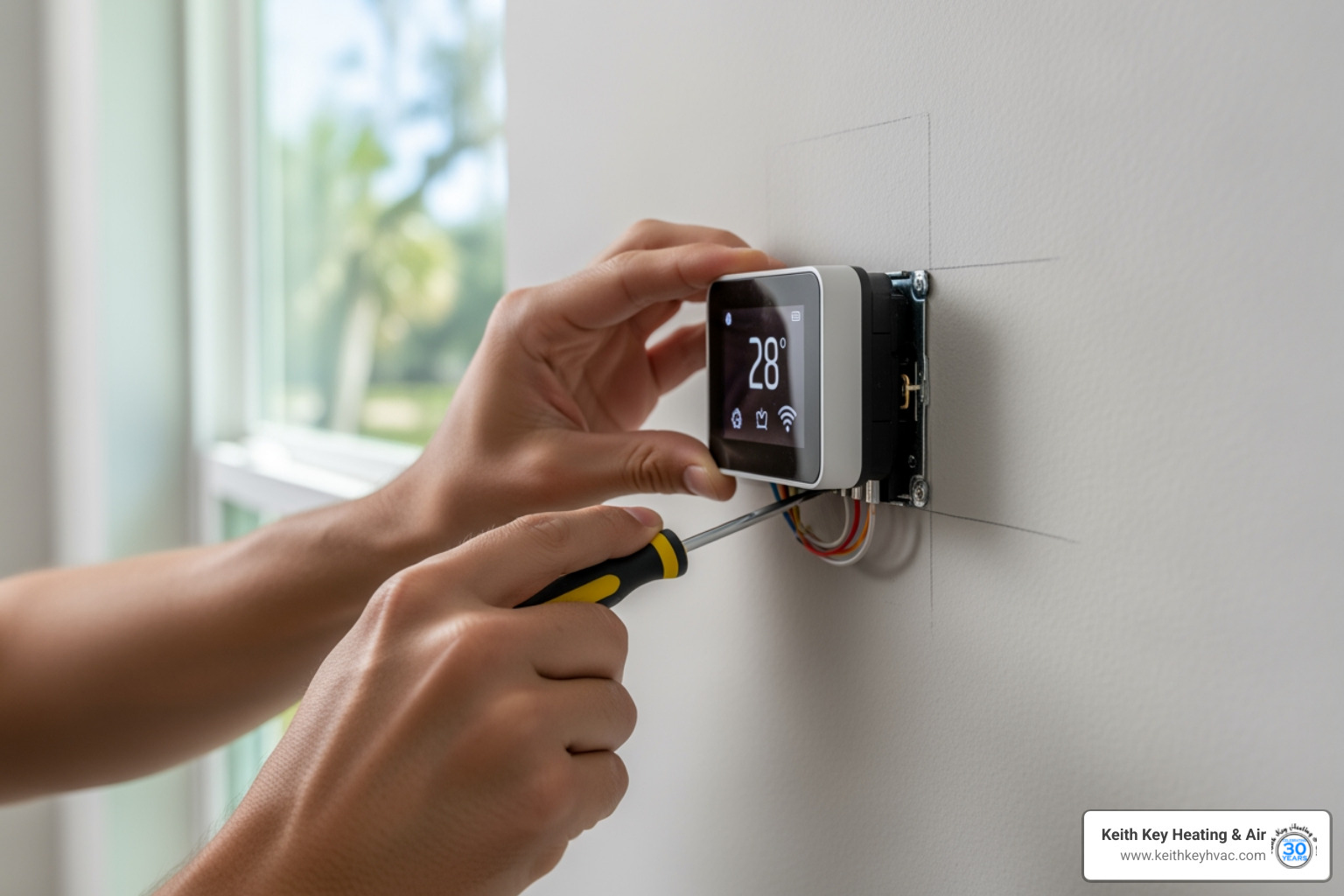
- Mounting New Backplate: Position the new smart thermostat's backplate on the wall. If needed, use a level to ensure it's straight, then mark the screw holes. Drill pilot holes if necessary, then securely screw the new backplate into the wall. Make sure the wires can pass through the opening in the backplate.
- Connecting Labeled Wires: Referring to the photo you took and the labels you applied, connect each wire to its corresponding terminal on the new smart thermostat's backplate. Push each wire firmly into its terminal until it's secure. Ensure any C-wire is correctly connected.
- Attaching New Faceplate: Once all wires are securely connected, carefully snap the new smart thermostat's faceplate onto the mounted backplate.
4. Power Up and Configure
You're almost there! It's time to bring your new smart thermostat to life.
- Restoring Power at Breaker: Return to your electrical panel and flip the HVAC circuit breaker(s) back to the "On" position. Your new smart thermostat should power up.
- Following On-Screen Setup: The thermostat will likely display prompts for initial setup. This includes language selection, HVAC system type, and basic settings. Follow these instructions carefully.
- Connecting to Wi-Fi: This is where the "smart" truly comes in. Your thermostat will guide you through connecting to your home's Wi-Fi network. This enables remote control and smart features.
- Downloading the Mobile App: Download the smart thermostat's companion app to your smartphone or tablet. Create an account and follow the app's instructions to pair it with your new thermostat.
- Setting Initial Preferences: Use the app or the thermostat's interface to set your desired temperature ranges, create schedules, and explore other features.
If you encounter any difficulties or have questions during these steps, our team at Keith Key Heating & Air is always ready to assist with your smart thermostat installation Crawfordville.
Maximizing Your Smart Thermostat's Potential
Once your smart thermostat is installed and configured, the real fun begins! You've open uped a world of convenience and control that goes far beyond a traditional thermostat.
One of the most exciting aspects is smart home integration. Your thermostat can become a central hub for your home's ecosystem, responding to voice commands or interacting with other devices. It can also learn your household's patterns, building intelligent learning schedules that adjust to your life rather than forcing your life to adjust to a rigid schedule. Energy reports provide valuable insights into your consumption, helping you identify areas for greater savings. For a deeper dive into how a smart thermostat can lift your living space, explore our article on home comfort with a smart thermostat.
Recommended Smart Thermostat Features for Crawfordville Homes
Given Crawfordville's unique climate, certain smart thermostat features are particularly beneficial:
- Humidity Control: Florida's humidity is no joke. Many smart thermostats feature built-in humidity sensors and can be programmed to manage indoor humidity levels, often by subtly overcooling or running the fan to dehumidify the air.
- Geofencing: As mentioned, this feature uses your smartphone's location to know when you're leaving or returning home. It automatically adjusts the temperature to save energy when you're out and ensures comfort by the time you arrive. No more cooling an empty house!
- Compatibility with Heat Pumps: Heat pumps are popular in our region. Ensure your chosen smart thermostat is fully compatible with heat pump systems, including auxiliary heat stages, for optimal performance. Learn more about smart thermostats for heat pump systems.
- Vacation Mode: Planning a trip? A dedicated vacation mode maintains efficiency while you're away, preventing pipes from freezing (not a huge concern here!) or mold growth, and ensuring a comfortable return.
- Detailed Energy Tracking: Look for thermostats that provide comprehensive energy usage reports, often broken down by day, week, or month. This data empowers you to make informed decisions about your energy consumption.
Integrating with Your Smart Home
A smart thermostat isn't a standalone device; it's a team player. It can seamlessly integrate with your broader smart home ecosystem, enhancing convenience and automation.
- Voice Assistants: Connect your smart thermostat to popular voice assistants like Google Assistant or Amazon Alexa. Imagine saying, "Hey Google, set the thermostat to 72 degrees," without lifting a finger.
- Smart Speakers: Control your home's temperature through your smart speakers, adding another layer of hands-free convenience.
- Automated Routines: Create automated routines where your thermostat works in conjunction with other smart devices. For example, when you leave for work, your thermostat can adjust, your lights can turn off, and your smart locks can engage.
- Improved Convenience: The ability to manage your home's climate from a single app or through voice commands significantly boosts overall convenience.
Here's a list of smart home integration possibilities:
- Voice control through smart speakers
- Automatic adjustments based on motion sensors in other smart devices
- Integration with smart lighting for energy-saving routines
- Coordination with smart blinds or shades to reduce solar gain
- Triggering HVAC changes based on smart door/window sensors
- Receiving alerts on your smartphone or smartwatch
Frequently Asked Questions about Smart Thermostats
We get a lot of great questions about smart thermostats from our Crawfordville customers. Here are some of the most common, answered with our local expertise in mind. For even more information, check out our smart thermostat systems FAQs.
Are smart thermostats compatible with all HVAC systems?
While most modern 24V systems are compatible with smart thermostats, it's not a universal fit. High-voltage systems (often found in older homes or with baseboard heaters) or proprietary systems may not work directly with standard smart thermostats. It's crucial to perform a compatibility check before purchasing. Many smart thermostat manufacturers offer online tools for this. If your system is older or you're unsure, a professional assessment can confirm compatibility and recommend the best options for your home. Sometimes, an older HVAC system may even benefit from a complete upgrade to maximize efficiency. We can help with HVAC replacement in Crawfordville, FL if that's the case.
What if my system doesn't have a C-wire?
The C-wire (common wire) is essential for most smart thermostats because it provides continuous power to the device. Without it, the thermostat might try to "power steal" from other wires, leading to erratic behavior, battery drain, or even damage to your HVAC system. If your existing wiring doesn't include a C-wire, don't despair! Many smart thermostat brands offer power adapter kits that can create a C-wire connection. Alternatively, our technicians can provide professional wiring solutions, potentially running a new C-wire to ensure stable power and reliable operation for your smart thermostat. This is a common issue we address during AC repair in Crawfordville, FL and installation services.
How do smart thermostats help with Florida's humidity?
Florida's high humidity is a constant battle, but smart thermostats are a powerful ally. Many models come equipped with humidity sensors that monitor indoor humidity levels. They often feature a "Cool to Dry" function, which allows the system to overcool for dehumidification by running the AC slightly longer or at a lower temperature than the setpoint. This process actively removes moisture from the air, even if it means dropping the temperature a degree or two below your comfort setting temporarily. This helps in maintaining indoor air quality by preventing the growth of mold and mildew, making your home feel much more comfortable and less muggy. For comprehensive solutions to combat humidity, consider our humidifier installation Crawfordville complete guide.
Upgrade Your Crawfordville Home's Comfort Today
Upgrading to a smart thermostat is one of the smartest decisions you can make for your Crawfordville home. You'll open up significant energy savings (up to 15% annually!), enjoy unparalleled increased comfort with precise temperature control, and experience the convenience of remote access and smart home integration.
The importance of proper installation cannot be overstated. While DIY is an option for some, professional installation ensures compatibility, safety, and optimal performance, giving you complete peace of mind.
At Keith Key Heating & Air, we are your local experts for smart thermostat installation Crawfordville. Since 1991, our family-owned and operated business has been dedicated to delivering honest, reliable, and compassionate HVAC service throughout Wakulla, Leon, and Franklin Counties. We take pride in exceeding customer expectations with strong work ethics and expert care. From residential to light commercial, we install and service all makes and models, ensuring comfort, quality, and trust in every job we do.
Ready to take control of your home's comfort and energy bills? Contact us for expert smart thermostat installation in Crawfordville, FL today, and let us help you experience the difference!
hear what our satisfied clients have to say
.avif)

I have nothing but great things to say about this company! From the initial call to trouble shoot our old system to the installation of the new system. Maya was awesome and patient with us and the bank. Stratton, Wilton, and Austin did the removal and install of the systems and they were professional and proficient. I will be recommending this company to everyone and anyone! Thank you for making this less stressful then it needed to be. I'm very grateful for the help and comfort they have given me and my family.
We’ve had issues with our a/c unit freezing up off and on for a month or so. Aden from Keith Key came out and checked our system out. He fixed an issue with the bypass valve and also tuned our fan. Additionally we also replaced our thermostats with new T10’s. He took his time and helped me connect all of them to the WiFi and the app.Aden is very friendly and knowledgeable. I haven’t had an issue with my system since. He was also willing to accept the assistance of our overly helpful shih tzu. Call Keith Key and Aden for any issues with hvac systems, they can get it fixed!
Tryston was amazing! So knowledgeable, pleasant and respectful. Keith Key H/A will forever have my family's business
We had a tenant with no heat during the recent 29 degree weather. I called Keith Key Heating and Air before office hours and left my infomation with their answering service. I got a call back from the office promptly at 8:00 a.m. They were able to schedule us for service the same day. The technician arrived at noon, diagnosed the issue and made the repair. The price was quite reasonable. Everyone that we dealt with was friendly, professional and knowledgeable. I would highly recommend them and will be using them again in the future. Thanks Keith Key Heating & Air!!
Heat wasn't working after the sleet storm and being without power for 18 hours. Keith Key sent Trystan the same day as my call. He did a great job (very personable) and got it repaired in no time. Many thanks!
Keith Key HVAC is wonderful! They service our HVAC and just helped me with a super stressful heating issue while I was out of state. They are very organized and professional, and take extra time to explain and follow up. I just love them!
We've called on Keith Key Heating and Air twice for help. Both times, they responded quickly, and were able to make repairs quickly. The techs we've dealt with have been friendly, reliable, professional and knowledgeable. And they don't dig in your pocket like some have been known to do. I honestly don't know what more we could ask for. A solid 10 of 10, and we highly recommend.
Had to replace my AC and Heating unit. Keith Key Heating and Air was very helpful in finding the right unit money wise for me. The young men they sent was courteous and knowledgeable. They made sure everything was up to my standards before they left. If you have trouble I would highly recommend them to you.
Keith Key regularly services both our personal home and one of our rental properties! They are good about communicating to us about the condition of the units at the rental property which is such a relief! We have had to call them for 2 emergencies and both times the techs appeared happy to be there helping us despite being on the weekend! 10/10 recommend.
Service Areas